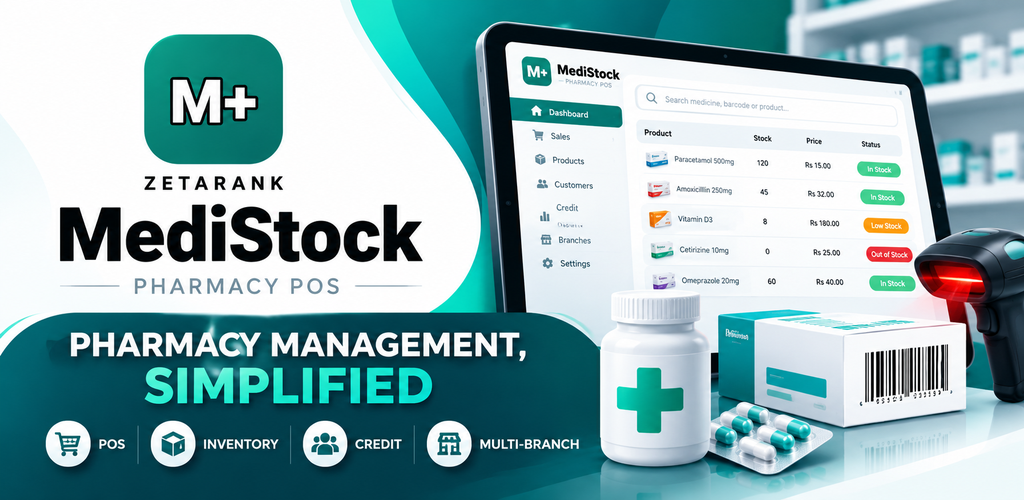
MediStock — Complete Pharmacy Management System(Starter)
What this product does.
MediStock Pharmacy POS
Your Pharmacy. Your Inventory. Your Business.
MediStock Pharmacy POS is designed to make pharmacy management more organized, practical, and efficient. Manage medicine records, inventory, sales, purchases, customers, suppliers, and essential business information through one convenient desktop application.
Whether you operate a neighborhood medical store or a growing pharmacy business, MediStock helps you organize your everyday operations and keep important information accessible.
A Smarter Way to Manage Your Pharmacy
Running a pharmacy involves managing medicines, monitoring stock, recording purchases, processing sales, and keeping business records organized.
MediStock brings these essential activities together in a structured workflow, helping you reduce dependence on scattered manual records and manage your pharmacy with greater confidence.
Key Features
Medicine & Product Management
Keep your pharmacy product catalogue organized with medicine and product details, categories, brands, pricing, and other relevant information.
- Organized medicine and product records
- Product categories and details
- Pricing and stock information
- Product searching and filtering
Inventory & Stock Management
Maintain better visibility over your pharmacy inventory and keep essential stock information organized.
- Stock management
- Stock-in and stock-out records
- Batch and expiry information
- Inventory history
- Low-stock and expiry monitoring where supported by your installed version
Pharmacy POS & Sales
Manage everyday pharmacy sales through a practical point-of-sale workflow.
- Product lookup
- Sales transaction records
- Invoice-related workflows
- Sales history
- Inventory updates associated with supported sales operations
Purchase Management
Keep your pharmacy purchasing information organized and accessible.
- Purchase records
- Incoming stock information
- Purchase prices
- Supplier records
- Purchase history
Customer Management
Maintain organized customer information and relevant transaction records to support your daily pharmacy operations.
Supplier Management
Keep supplier details and purchasing information together, making it easier to review the records associated with your pharmacy’s suppliers.
Reports & Business Information
Review available sales, purchase, product, and inventory information to better understand your pharmacy’s daily activity.
Designed Around Your Daily Workflow
01 — Organize
Keep your medicine and product information structured and easy to manage.
02 — Monitor
Maintain stock records and review available batch and expiry information.
03 — Manage
Bring supported sales, purchasing, customer, and supplier workflows together.
04 — Review
Use your available business information to understand your pharmacy operations.
Get MediStock for Windows
MediStock Desktop Application
Manage your pharmacy from your Windows computer with the MediStock desktop installer.
Download MediStock for Windows
https://totalcreativesoftware.com/downloads/MediStock-Setup-0.2.0.exe
Installer: MediStock Setup 0.2.0
Download the installer using the link above and follow the installation instructions on your computer.
MediStock for Android
Android App — Coming Soon
The MediStock Android application is being prepared for release on the Google Play Store.
The official Google Play download link will be added here once the application is published.
Why Choose MediStock?
- Keep pharmacy product information organized.
- Manage invent
Related products
-

ZetaRank Google Merchant Review Integration for WooCommerce
$30.00 Add to cart -
Sale!

ZetaRank WooCommerce Variation Table Pro
Original price was: $70.00.$49.00Current price is: $49.00. / year Add to cart -

ZetaRank TrackNotify Pro — Automated Shipment Tracking & Notifications for WooCommerce
$120.00 Add to cart -

Google Content API to Merchant API Migration Service
$250.00 Add to cart